Turn an object in your photo into a GLB model.
Choose what becomes 3D, even in a photo with several objects. Check the selection, generate the model, then inspect it before bringing it into your next scene.
3D generation is paid and uses credits. No local GPU required.
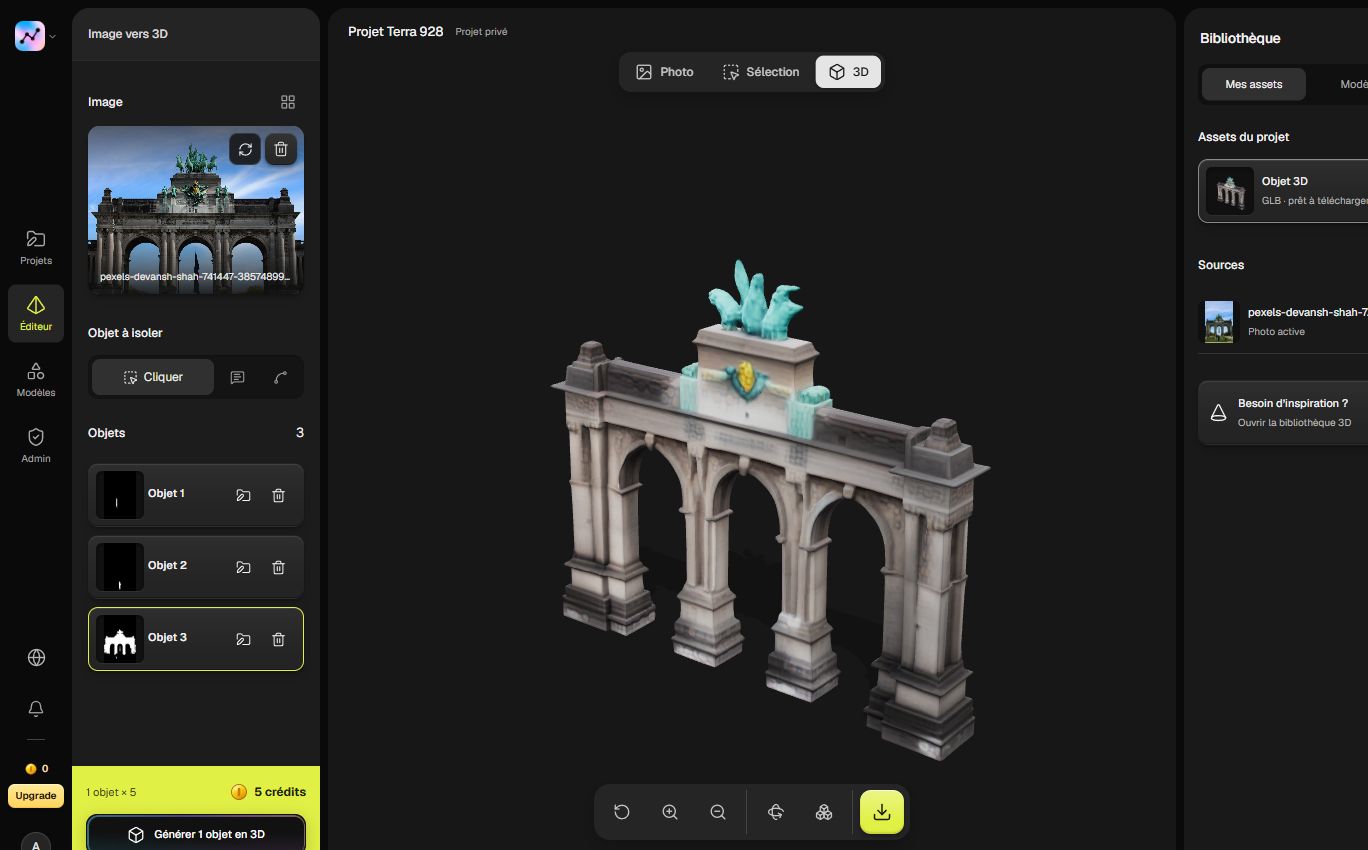
From the selected object to a GLB file
Choose a clear photo
Use an image you are allowed to upload, with the whole object visible. Avoid overlapping objects, blur and strong reflections.
Check the mask
Click to add or remove areas, then refine the outline. The mask defines which object the reconstruction will use. Click selection runs in your browser.
Generate the 3D model
Start reconstruction after checking the mask. SAM 3D Objects runs on the server; this paid step uses your account’s credits.
Inspect and export
Rotate the result and check its back and underside. Download the available GLB, or save the 2D selection as a transparent PNG.
A starting shape for your next scene
A single photo is not a complete scan. Hidden surfaces are estimated. Use the model as a starting point for a composition or prototype, then check it in a compatible tool such as Blender.
- Inspect hidden faces, thin parts and openings.
- Set scale from real measurements when dimensions matter.
- Check materials and geometry; further editing may be needed.
One project, or objects to create regularly?
Before you start
Is photo-to-GLB generation free?
No. Studio 3D generation is paid and uses credits. See the current packs and subscriptions on the pricing page. The separate Orbit GLB viewer is free.
Is this a JPG or PNG file converter?
It reconstructs an estimated 3D shape from the selected object; it does not simply change the image’s file extension. A single view cannot establish every surface or real-world dimension.
Can I export OBJ, FBX or STL?
The current exports are GLB for the 3D model and transparent PNG for the selection. Other formats require a separate compatible tool and may need additional preparation.
Can I select several objects?
Create a separate selection for each object and inspect each mask before generating. You decide which objects to reconstruct; the whole photo is not automatically converted into a complete 3D scene.