
What is SAM 3?
SAM 3, also searched as SAM3, is Meta’s model for finding and segmenting objects in images and videos. A short concept such as “red chair” can identify matching instances; visual prompts help guide the selection. Its output is a mask: the pixels belonging to a subject.
Meta · SAM 3 ↗SAM 3
Image → 2D mask
SAM 3D Objects
Image + mask → 3D object
A precise selection and a reconstruction in volume solve different needs. Choosing the right subject comes before shape, texture and scene composition. Explore SAM 3D.
The models compared

Countries of the organizations and collaborations. Each model links to its official project.
What can SAM 3 do?
Text prompts
Name a subject such as “red chair” to find matching objects.
Visual prompts
Use points, boxes or an image example to specify what you want to select.
Video segmentation
The research model combines detection and tracking across frames.
Choose your creative workflow
Isolate a product for a composition, prepare a transparent cutout, or select the subject you want to turn into a 3D object. Check small details before exporting.
How does SAM 3 work?
Describe or point
Text names the concept; points and boxes provide visual guidance.
Detect and segment
A detector identifies matching instances and predicts their masks. A shared visual backbone supports detection and video tracking.
Refine the mask
Positive and negative prompts help adjust the target. The research model also maintains object identities across video frames.
Research model architecture. Video features, representations and tools exposed in an application can differ. Official code ↗
SAM 1 vs SAM 2.1 vs SAM 3
SA-37 · Interactive image segmentation · Average mIoU · Higher is better
Data and metrics
| Model | 1 click | 3 clicks | 5 clicks |
|---|---|---|---|
| SAM 1 H | 58.5 | 77.0 | 82.1 |
| SAM 2.1 L | 66.4 | 80.3 | 84.3 |
| SAM 3 | 66.1 | 81.3 | 85.1 |
mIoU: mean intersection-over-union of predicted and reference masks. Three evaluated click counts; lines connect observations without estimating intermediate results.
Source: Carion et al. · SAM 3 · Table 6 · arXiv v1 (2025) ↗
At five clicks, SAM 3 reaches 85.1 mIoU versus 84.3 for SAM 2.1 L. At one click, SAM 2.1 L is slightly ahead: 66.4 versus 66.1. The gain depends on the interaction setting.
Interactive segmentation speed
Throughput reported in Table 6, under the paper’s evaluation setup. Not studio latency.
- SAM 1 H
- 41.0
- SAM 2.1 L
- 93.0
- SAM 3
- 43.5
Video: tracking on SA-V
Mask and boundary quality over video frames. Higher is better. Research model comparison.
- SAM 2.1 L
- 78.4
- SAM 3
- 84.4
Reading the results
A historical comparison of the versions evaluated in the 2025 publications, reviewed on October 7, 2026. Datasets, prompts and metrics determine what is measured. These scores predict neither generation time nor the quality of every photo in Segmentit.
From research to your next creation.
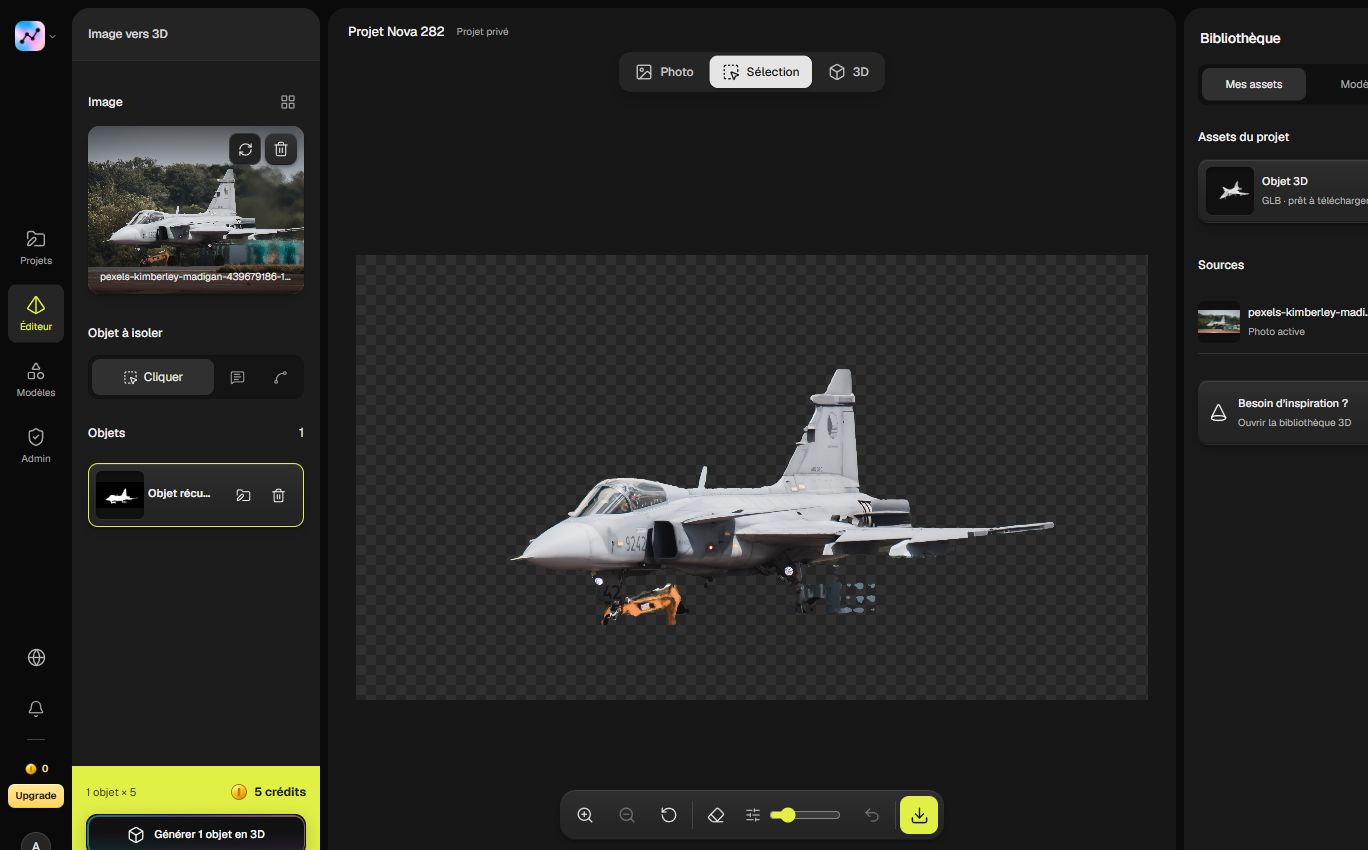
In Segmentit, selection is the first creative step: choose an object, refine its outline and save a transparent PNG or continue to 3D. A clearer mask helps you keep the subject you actually want.
Questions about SAM 3
Does SAM 3 create 3D models?
SAM 3 creates segmentation masks. SAM 3D Objects handles 3D reconstruction. They address different stages of the image-to-3D workflow.
What changed from SAM 2?
Concept prompts let you search for matching objects using text or examples. The chart above separately compares interactive segmentation using clicks.
Where can I find the model?
Meta publishes the code, checkpoint access instructions and notebooks in the official SAM 3 repository linked below. For a visual workflow, open the Segmentit studio.
Sources and documentation
Reviewed · Segmentit editorial