Your furniture. A different setting.
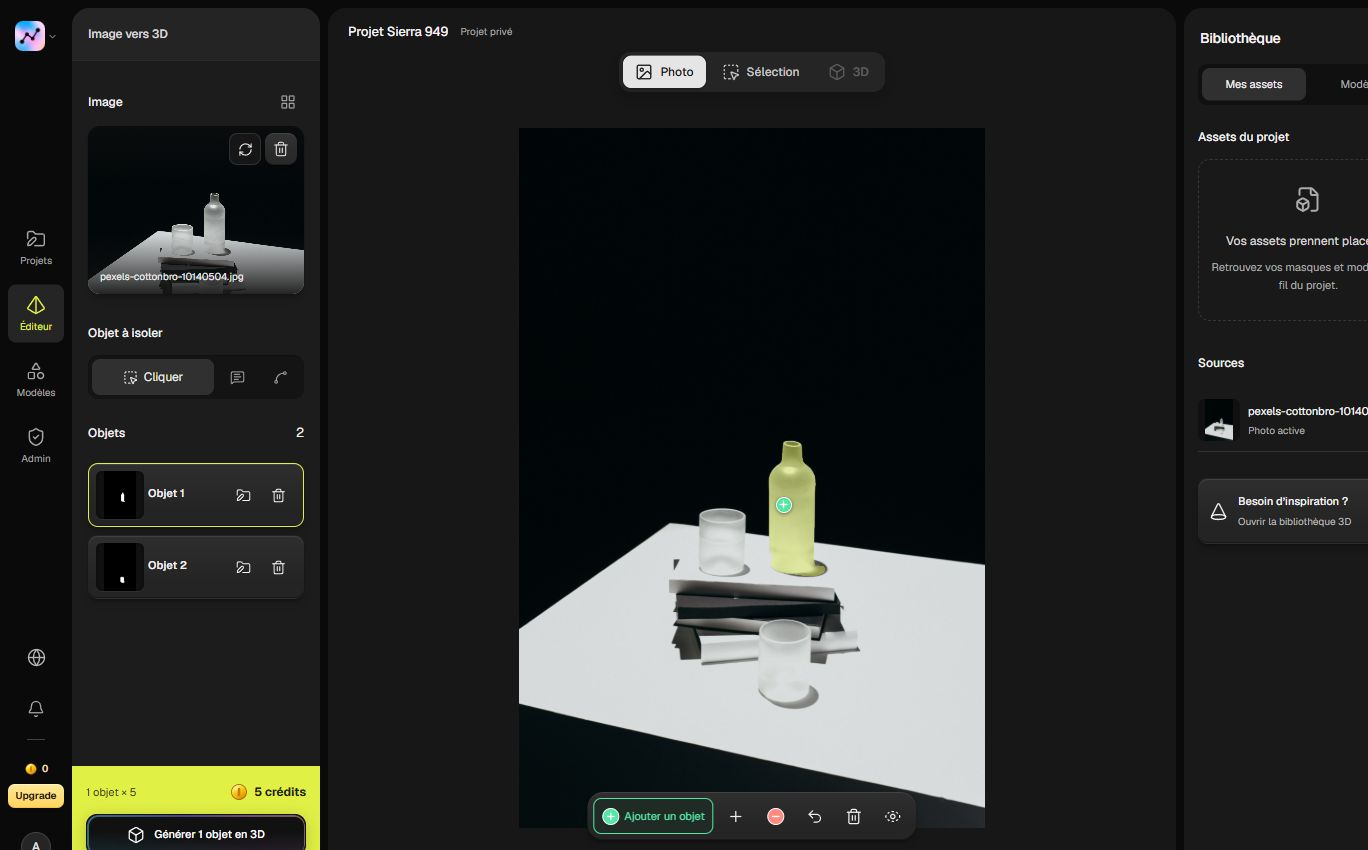
Start with a photographed chair, vase or lamp. Explore its place in a new composition before making it part of your interior project.
Move beyond the moodboard.
A reference photo suggests an atmosphere. An individual 3D object lets you study placement, proportions and the relationship between pieces. Try a chair beside a table, rethink a corner or explore a different grouping of objects.
- Compare different placements in a scene.
- Reuse familiar objects in a new interior.
- Communicate a spatial idea beyond a flat reference.
From your photo to your project.
Photograph a piece.
Show the whole object, including its legs and edges. Avoid strong reflections and objects crossing in front.
Give it volume.
Select the furniture or accessory, reconstruct it and inspect the shape from several viewpoints.
Recompose your interior.
Set dimensions from real measurements, place the object and adapt materials and lighting to your design scene.


Before you begin.
Which objects can I start with?
A chair, a lamp, a vase or a decorative piece: choose an object you would like to bring into your design. A clear photo showing its full shape is a great starting point.
How can I use it in an interior design?
Export your object as GLB and add it to a compatible design tool. Set its scale using your measurements, try different placements and explore new compositions.
Can I prepare several pieces for the same project?
Yes. Keep your objects together in the studio and download them for your scene. Build a collection around an atmosphere, a room or a new decorating idea.
Your projects, connected to your tools.
Read the list of your Studio projects from your own tools.
Included with Studio and Scale.
Explore the APIGET/v1/projects
API="https://segmentit.com/api/v1"

curl "$API/projects" \
  -H "Authorization: Bearer $SEGMENTIT_API_KEY"
const api = 'https://segmentit.com/api/v1';
const key = process.env.SEGMENTIT_API_KEY;
const res = await fetch(`${api}/projects`, {
headers: { Authorization: `Bearer ${key}` },
redirect: 'error',
});
if (!res.ok) throw new Error(`HTTP ${res.status}`);
const { data } = await res.json();

“Turn your photos into 3D objects. Ready for your scenes, creations and games.”
 Segmentit